Are Room Measurements from an App Accurate?
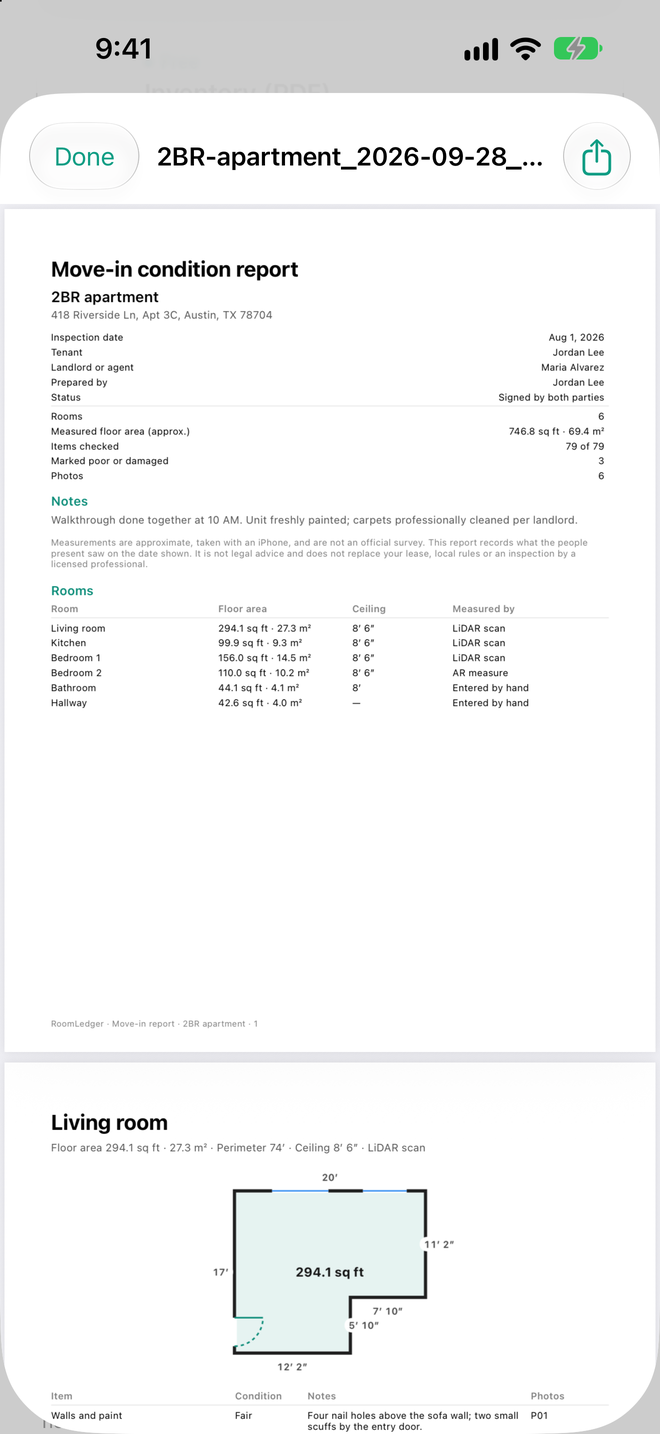
Accuracy depends on the device, sensors, lighting, surfaces, scanning technique and purpose. A result suitable for an inventory or rough floor-area estimate may not be suitable for renovation, structure, planning or an official file. RoomLedger can store measurements, images and conditions; it does not turn every scan into a professional survey.
What can create error?
Furniture blocking corners, uneven walls, poor light, reflective surfaces, curved packaging and incorrect device placement can affect a result. LiDAR, AR, tape and laser tools each have limits. Units, rounding and conversions between meters and feet can add error. Recording the method and conditions prevents a reader from treating the number as more reliable than it is.
Check a questionable value
Measure from another direction or use a second method. Compare length and width with a door, item or sourced drawing, but do not treat a reference object as an absolute standard. If results differ materially, record both and mark the value for verification instead of choosing the nicer number.
Record measurements in RoomLedger
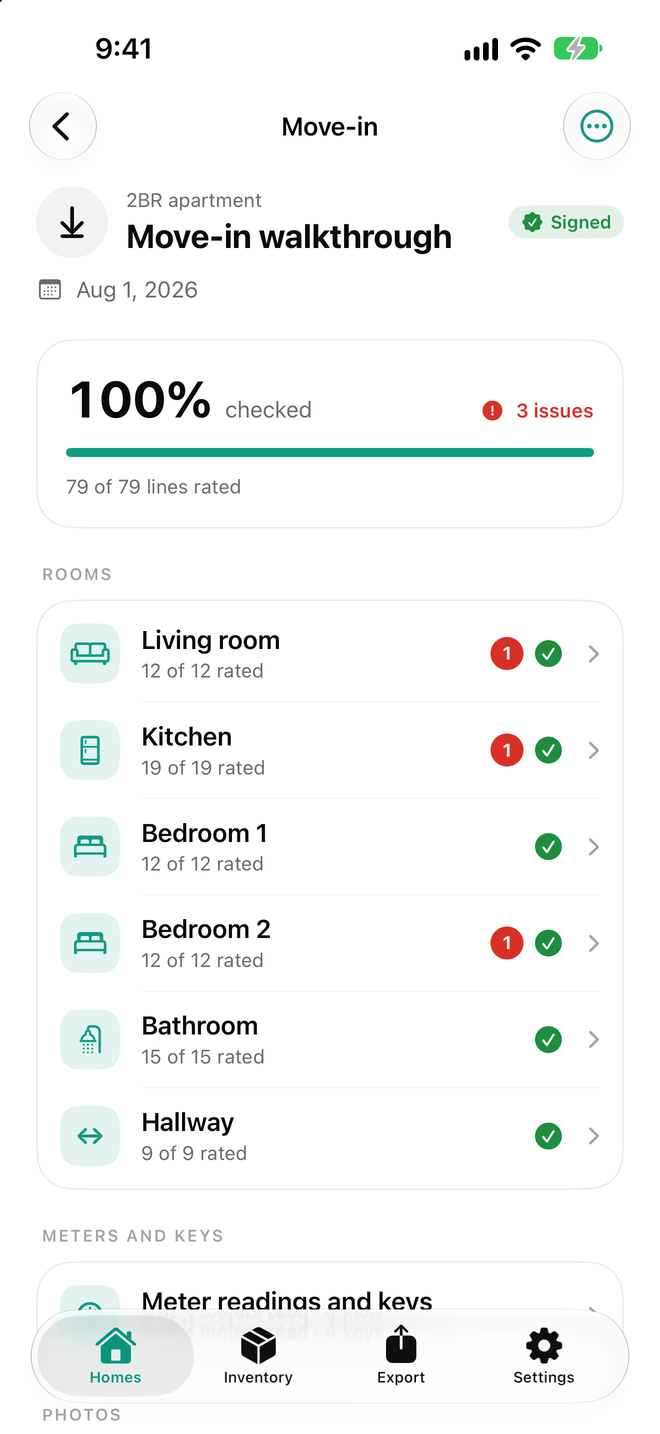
Create the property and room, then enter value, unit, date, method and confidence. Add context photos showing start and end points. See RoomLedger. When exporting PDF or CSV, check that room, unit and notes remain visible. Keep original data for comparison.
For an expensive purchase, renovation or safety decision, verify with suitable equipment and a qualified person. If a law, insurer or contractor requires a formal survey, use RoomLedger only to organize supporting documents. Do not use an estimate as a promise.
A transparent measurement with clear limits is more useful than a many-digit result with no method. Review again when the property changes. If a wall is blocked or a point is difficult to reach, record that condition and, when useful, an approximate range rather than hiding uncertainty in a precise-looking report.
Note: RoomLedger does not guarantee accuracy or replace professional measurement or surveying.
A practical workflow for this topic
When you search for “Are Room Measurements from an App Accurate?”, the useful answer is usually a repeatable way to check the detail that matters. Use this RoomLedger guide as a starting point, then confirm the current source before acting. The product can organize information and shorten a review; it cannot fill in missing facts or replace a professional decision.
Quick checklist before you act
- Define the room, asset or handover moment you are recording.
- Capture wide context, close details, dates and measurements together.
- Review notes and photos before creating the report or sharing it.
- Keep the original export when a later comparison or dispute may matter.
Keep the decision traceable: record the version, date and source you relied on when the detail may change.
Detailed step-by-step workflow
This extended section turns “Are Room Measurements from an App Accurate?” into a repeatable RoomLedger workflow. The goal is not to create a longer checklist for its own sake. It is to make the important inputs visible, show what should be checked first, and leave a useful record of what was known at the time. That approach is especially helpful for room inspections, condition evidence, measurements, inventory and reports. Read the steps in order the first time, then return to the relevant step when the situation changes.
Step 1: Define the question and the record you need.
Start with this action in RoomLedger, then pause long enough to verify the result against the original source or observation. For “Are Room Measurements from an App Accurate?”, record the date, the relevant context and anything that was not available. A structured record is more useful when another person can understand what was checked without guessing what happened between two screenshots, notes or exports.
Step 2: Gather the original inputs before interpreting the result.
Start with this action in RoomLedger, then pause long enough to verify the result against the original source or observation. For “Are Room Measurements from an App Accurate?”, record the date, the relevant context and anything that was not available. A structured record is more useful when another person can understand what was checked without guessing what happened between two screenshots, notes or exports.
Step 3: Review the result and record uncertainty or missing data.
Start with this action in RoomLedger, then pause long enough to verify the result against the original source or observation. For “Are Room Measurements from an App Accurate?”, record the date, the relevant context and anything that was not available. A structured record is more useful when another person can understand what was checked without guessing what happened between two screenshots, notes or exports.
Step 4: Save the version, date and next action for later comparison.
Start with this action in RoomLedger, then pause long enough to verify the result against the original source or observation. For “Are Room Measurements from an App Accurate?”, record the date, the relevant context and anything that was not available. A structured record is more useful when another person can understand what was checked without guessing what happened between two screenshots, notes or exports.
Quality checks and common mistakes
Long-form guidance is most useful when it explains the boundaries as well as the happy path. Before relying on a RoomLedger record, run the checks below. They help separate a missing input from a negative result, an approximate value from a verified value, and a convenient summary from the original evidence.
Check 1
Do not start with the conclusion. Write down the question, the person or property involved and the time period first. In RoomLedger, keep the source, context and limitation close to the record so the next review can reproduce the decision.
Check 2
Do not mix old and new records without a date. Keep the original observation visible when you add a correction or update. In RoomLedger, keep the source, context and limitation close to the record so the next review can reproduce the decision.
Check 3
Do not treat a missing field as proof that the event, ingredient, expense or condition does not exist. In RoomLedger, keep the source, context and limitation close to the record so the next review can reproduce the decision.
Check 4
Do not share a polished summary before checking the original image, note, label, receipt or export behind it. In RoomLedger, keep the source, context and limitation close to the record so the next review can reproduce the decision.
Check 5
Do not use an app record as a substitute for a professional, medical, legal, financial or safety decision when the situation requires one. In RoomLedger, keep the source, context and limitation close to the record so the next review can reproduce the decision.
Frequently asked questions
What should I verify before I rely on this guide?
For “Are Room Measurements from an App Accurate?”, use RoomLedger to organize the observation and then verify the part that affects the decision. If a source, image, measurement or input is incomplete, mark it as incomplete instead of silently filling the gap. Add a date and a short note about the method used. When the consequence is important or the question sits outside the product’s purpose, confirm it with the current official source or an appropriate professional.
What should I do when the information is incomplete?
For “Are Room Measurements from an App Accurate?”, use RoomLedger to organize the observation and then verify the part that affects the decision. If a source, image, measurement or input is incomplete, mark it as incomplete instead of silently filling the gap. Add a date and a short note about the method used. When the consequence is important or the question sits outside the product’s purpose, confirm it with the current official source or an appropriate professional.
How can I make the record easier to compare later?
For “Are Room Measurements from an App Accurate?”, use RoomLedger to organize the observation and then verify the part that affects the decision. If a source, image, measurement or input is incomplete, mark it as incomplete instead of silently filling the gap. Add a date and a short note about the method used. When the consequence is important or the question sits outside the product’s purpose, confirm it with the current official source or an appropriate professional.
When should I ask for another source or a specialist?
For “Are Room Measurements from an App Accurate?”, use RoomLedger to organize the observation and then verify the part that affects the decision. If a source, image, measurement or input is incomplete, mark it as incomplete instead of silently filling the gap. Add a date and a short note about the method used. When the consequence is important or the question sits outside the product’s purpose, confirm it with the current official source or an appropriate professional.
A practical review before you finish
Before closing this topic, read the title “Are Room Measurements from an App Accurate?” as a question rather than a promise. Confirm the current version of the information, check the original evidence, and record the next action in RoomLedger. A useful record says what was observed, when it was observed, what remains uncertain and who should review it next. This makes the article easier to apply today and easier to revisit when the facts change.
See the product in action
Related guides
Record Measurement Error and Conditions in RoomLedger
Record device, units, light, surfaces, method and uncertainty so RoomLedger measurements are easier to check and not overread.
Meter and Key Handover Checklist
Record meter readings, keys, remotes and access cards during a property handover, with RoomLedger photos and reports.
How to record meter readings at move-in and move-out
Photograph and record electricity and water meters at move-in or move-out with dates, units and context in RoomLedger.
Feature walkthroughs
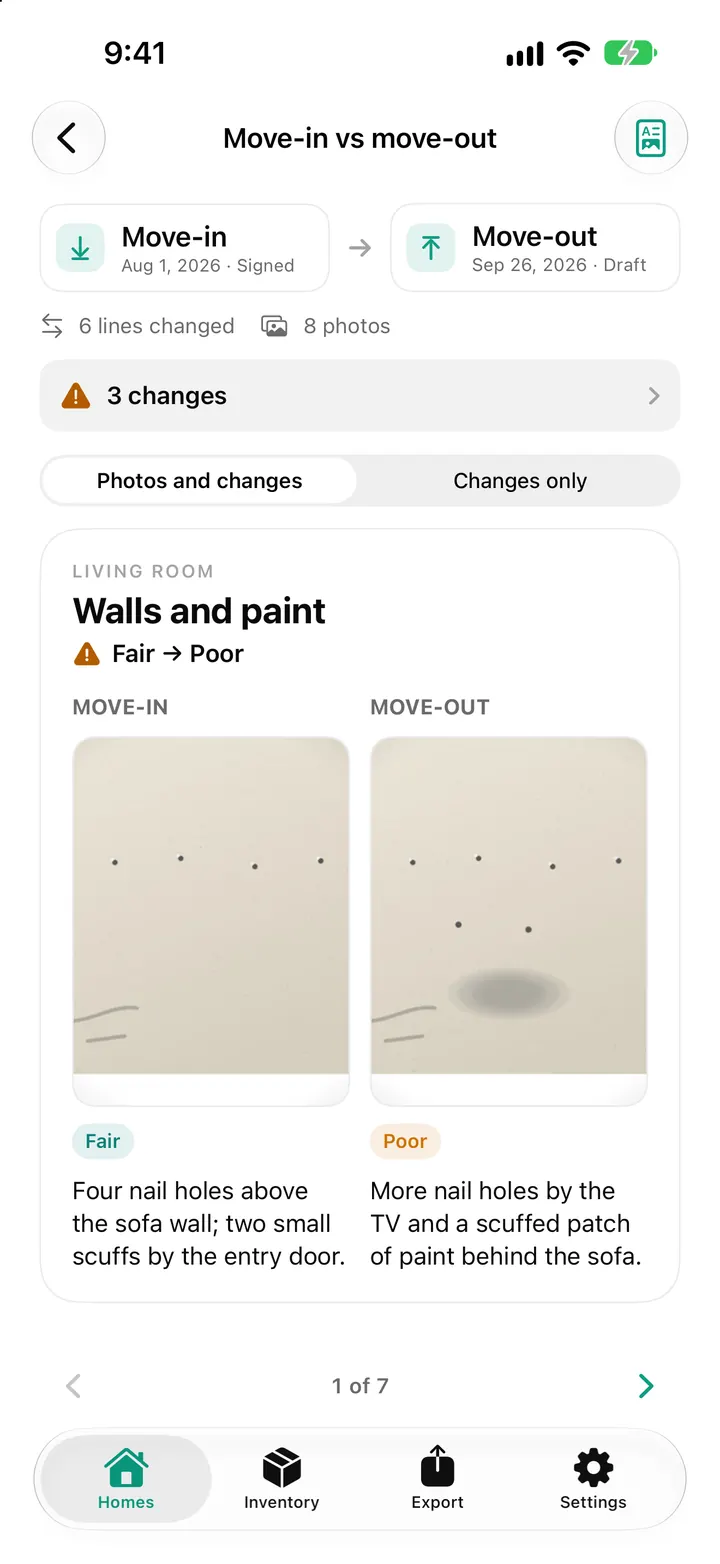
Compare move-in and move-out side by side, line by line, with photos from both days
RoomLedger pairs each move-out line with the signed move-in, shows both photos with their dates, flags what got worse and exports it all as a Comparison PDF.
Read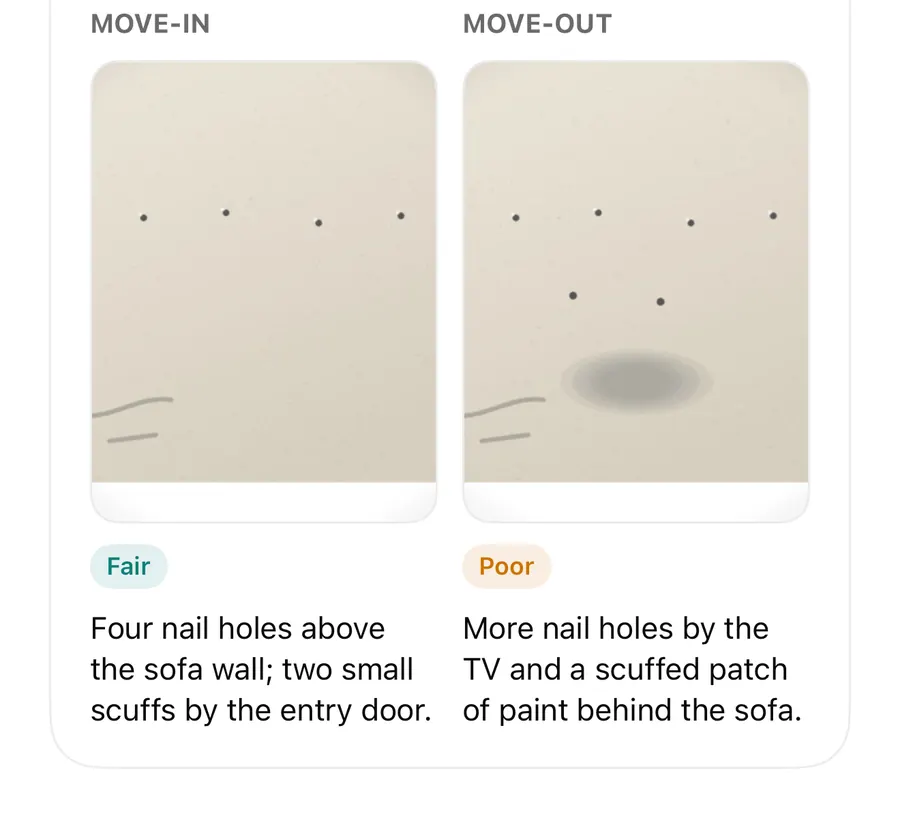
Track a security deposit in RoomLedger: your deadline, reminders and itemized charges
Record the deposit, count down to the deadline from your lease with iPhone reminders, then itemize charges against move-out changes and export a Statement PDF.
Read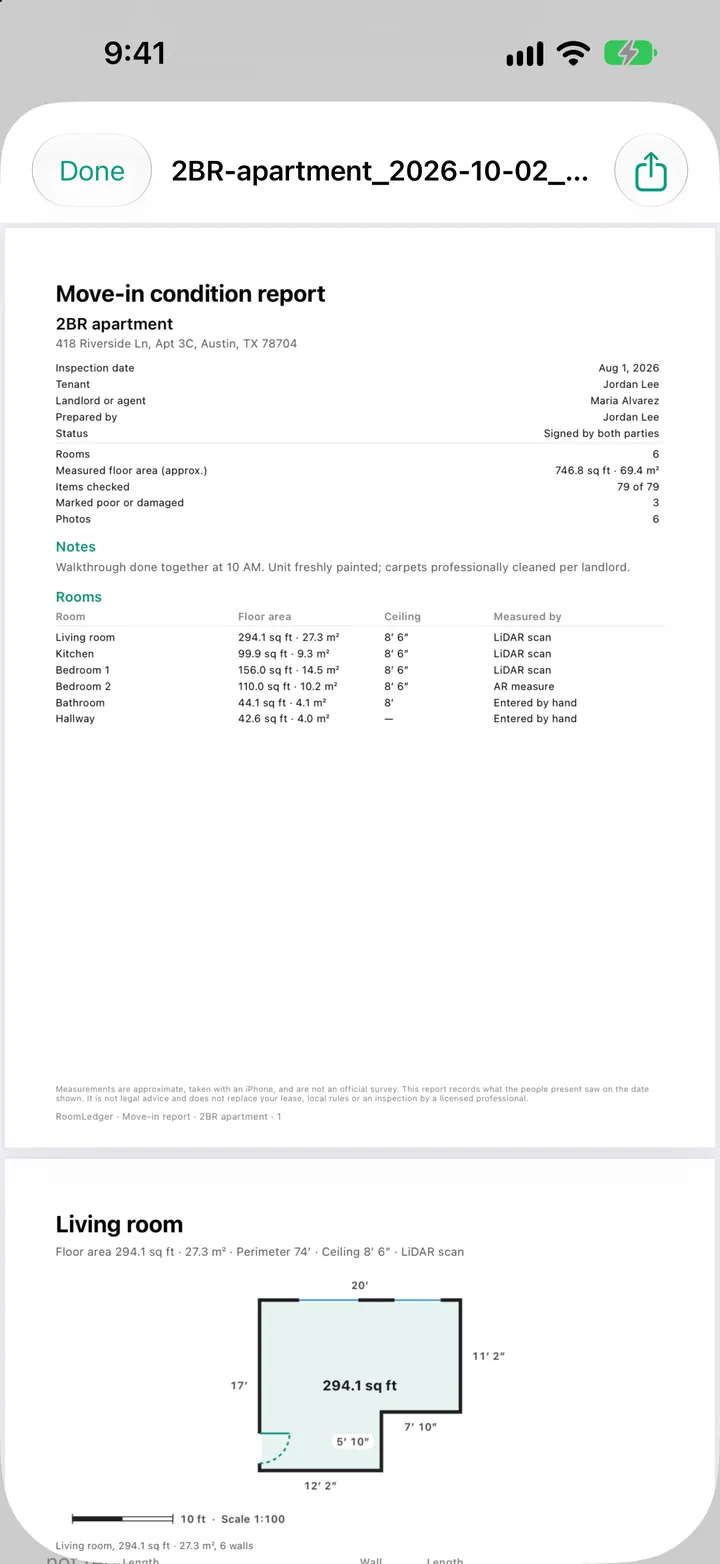
Inside the RoomLedger condition report PDF: rooms, photos and SHA-256 fingerprints
What a RoomLedger condition report PDF holds, from floor plans and numbered photos to SHA-256 photo fingerprints, a verification code, password and face blur.
Read