Track a security deposit in RoomLedger: your deadline, reminders and itemized charges
Record the deposit, count down to the deadline from your lease with iPhone reminders, then itemize charges against move-out changes and export a Statement PDF.
Short answer
Each home in RoomLedger has a Deposit card. You enter the amount, when it was paid and the deadline from your lease, and RoomLedger counts the days and can remind you on this iPhone or add the date to Calendar. After move-out, Charges against the deposit gives each change from the comparison its own row with an amount, a kind and a response, and Statement PDF exports it. Adding or changing charges needs RoomLedger Pro; the deadline and reminders are free.
The condition reports are the evidence; the deposit is usually what the evidence is for. RoomLedger keeps the money side next to the walkthroughs, so the date to watch and the list of charges sit in the same place as the photos that explain them.
The deposit card
Open a home and find Deposit. Tap it to fill in:
| Field | What it's for |
|---|---|
| Deposit amount | In USD |
| Paid on | The day it was paid |
| Counts from | Move-out day, Keys returned, Forwarding address given or Lease end |
| Day it counts from and Days | The start date and the number of days, from 1 to 365 |
| Count weekdays only | Skips weekends; public holidays still count |
| Settled, Settled on, Amount returned | For when it's over |
Once the start day and number of days are in, the card shows Your deadline with the date and a status such as days left, Due today, days past, or Settled.
RoomLedger doesn't know which rules apply to you, and it doesn't check them. The deadline is whatever you enter, so take the number of days from your lease or the rules where the home is. The app never fills one in for you.
Set up a deposit deadline and reminder
- Open the home and tap the Deposit card.
- Enter the Deposit amount and the day it was Paid on.
- Under Your deadline, pick what it Counts from, then enter the Day it counts from and the number of Days from your lease.
- Turn on Count weekdays only if your lease counts business days.
- Turn on Remind me for a notification 3 days before and on the day, at 9:00.
- Tap Add to Calendar if you also want it in your calendar, then Save.
Reminders are local notifications on this iPhone only; they don't go to the other party or any server. If notifications are off for RoomLedger, the card tells you to turn them on in Settings. When you mark the deposit Settled, reminders stop.
Charges against the deposit
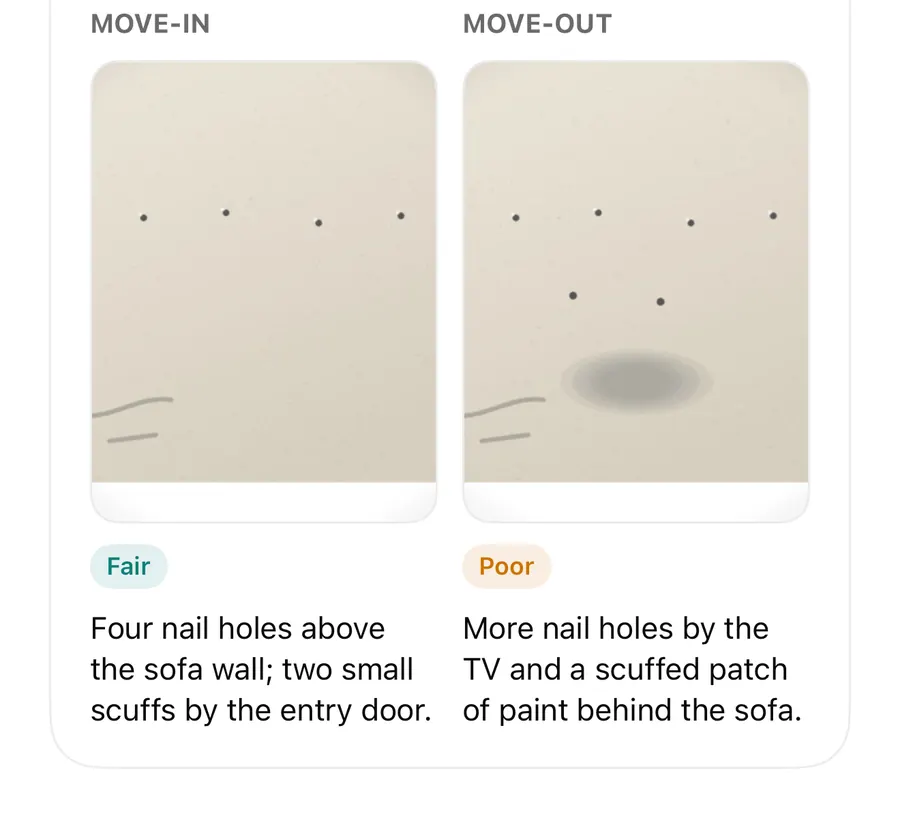
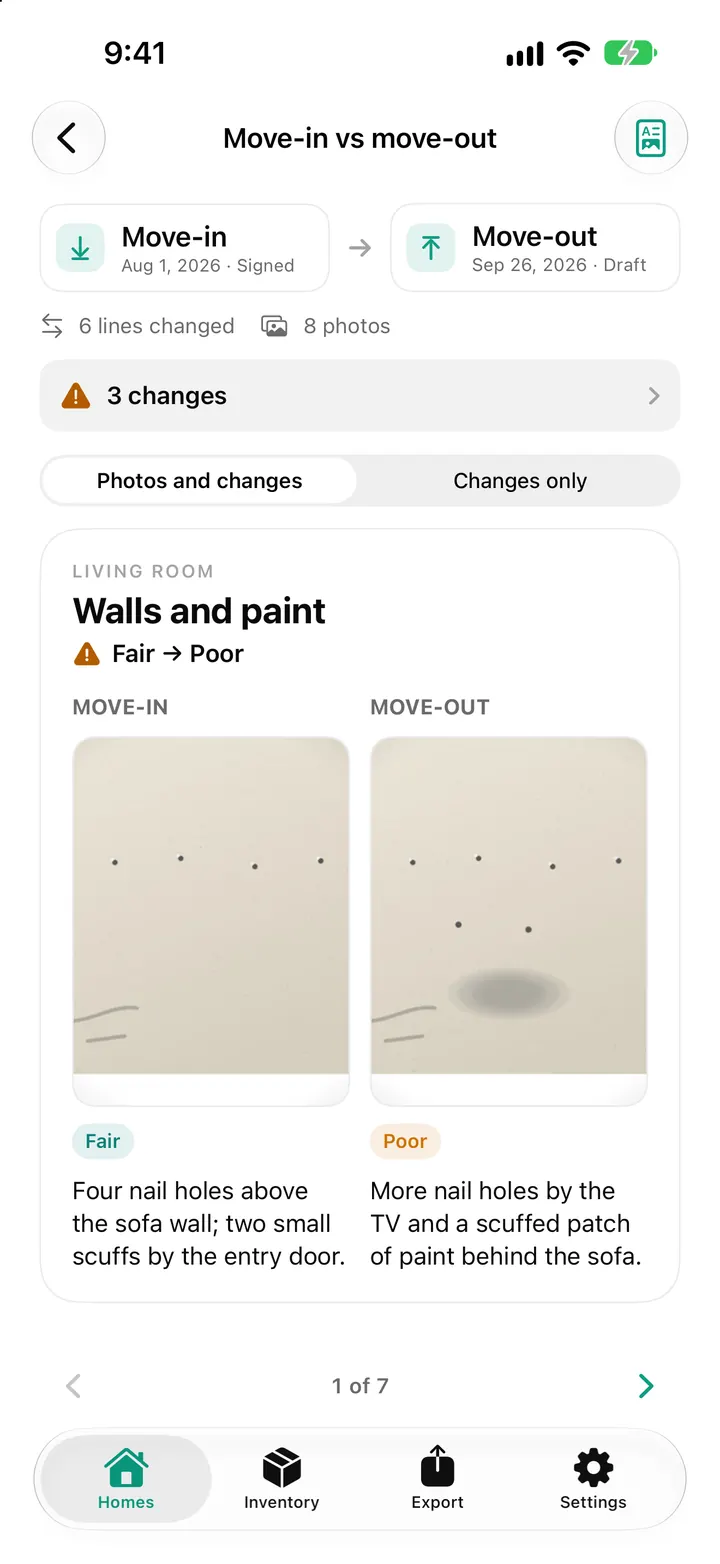
After move-out, the move-in vs move-out comparison knows exactly what got worse. Charges against the deposit builds on that: once both walkthroughs are done, each change gets a row. You can open it from the comparison or from the Charges row on the home.
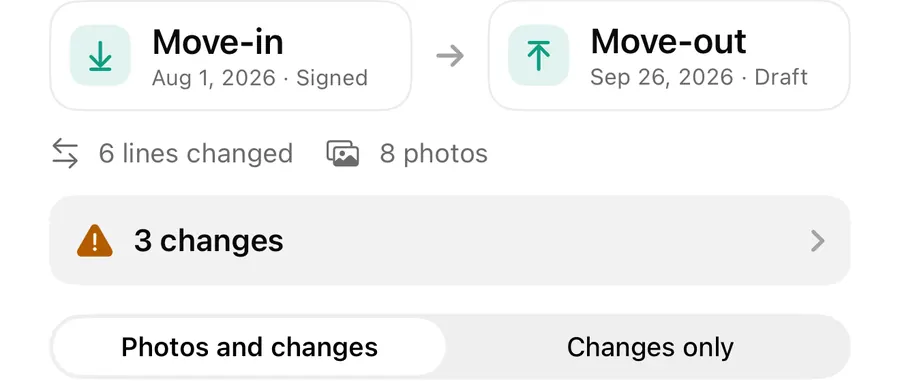
For each charge you enter:
- Charge: what the charge is for.
- Amount in USD.
- Charge type: Repair, Cleaning, Replacement or Other.
- An optional note.
You can also use Add a charge for something that isn't tied to a comparison change; it's marked Added by hand. The top of the screen shows the Deposit, Total charges and Balance of the deposit, or how much the charges exceed the deposit.
Amounts and kinds of charge are yours to enter. RoomLedger doesn't suggest or check them, and it doesn't calculate wear and tear or depreciation.
Responses
Each charge can carry a response: Agree, Dispute or Was there at move-in, with an optional note saying why. If you chose I'm renting during onboarding, the response field is there by default. Landlords and managers can turn on Record the tenant's responses to note what the tenant said about each charge.
The Statement PDF
Statement PDF exports the charges as a US Letter PDF: a table of charges with the total and what's left of the deposit, then each charge with the change it's for and photos from both walkthroughs. RoomLedger adds the walkthrough facts and fingerprints and nothing else. The title depends on who's sending it: landlords and managers get Itemized deposit charges, a renter who answered gets Response to deposit charges.
If a walkthrough is amended later and a change disappears from the comparison, its charge is kept as entered and marked The comparison no longer finds this change.
FAQ
Does RoomLedger know my state's deposit deadline?
No. It counts from the day and number of days you enter. Take them from your lease or the rules where the home is.
Who gets the deadline reminder?
Only you, on this iPhone: 3 days before and on the day, at 9:00. You can also add the date to Calendar.
Can a tenant use the charges screen?
Yes. Renters see a response for each charge and can mark it Agree, Dispute or Was there at move-in. Entering charges or responses needs Pro; exporting existing ones doesn't.
Does the app suggest how much to charge?
No. Amounts and kinds of charge are yours to enter. RoomLedger doesn't suggest or check them.
Download RoomLedger and put the deposit date where you'll see it.
Keep reading
Compare move-in and move-out side by side, line by line, with photos from both days
RoomLedger pairs each move-out line with the signed move-in, shows both photos with their dates, flags what got worse and exports it all as a Comparison PDF.
Read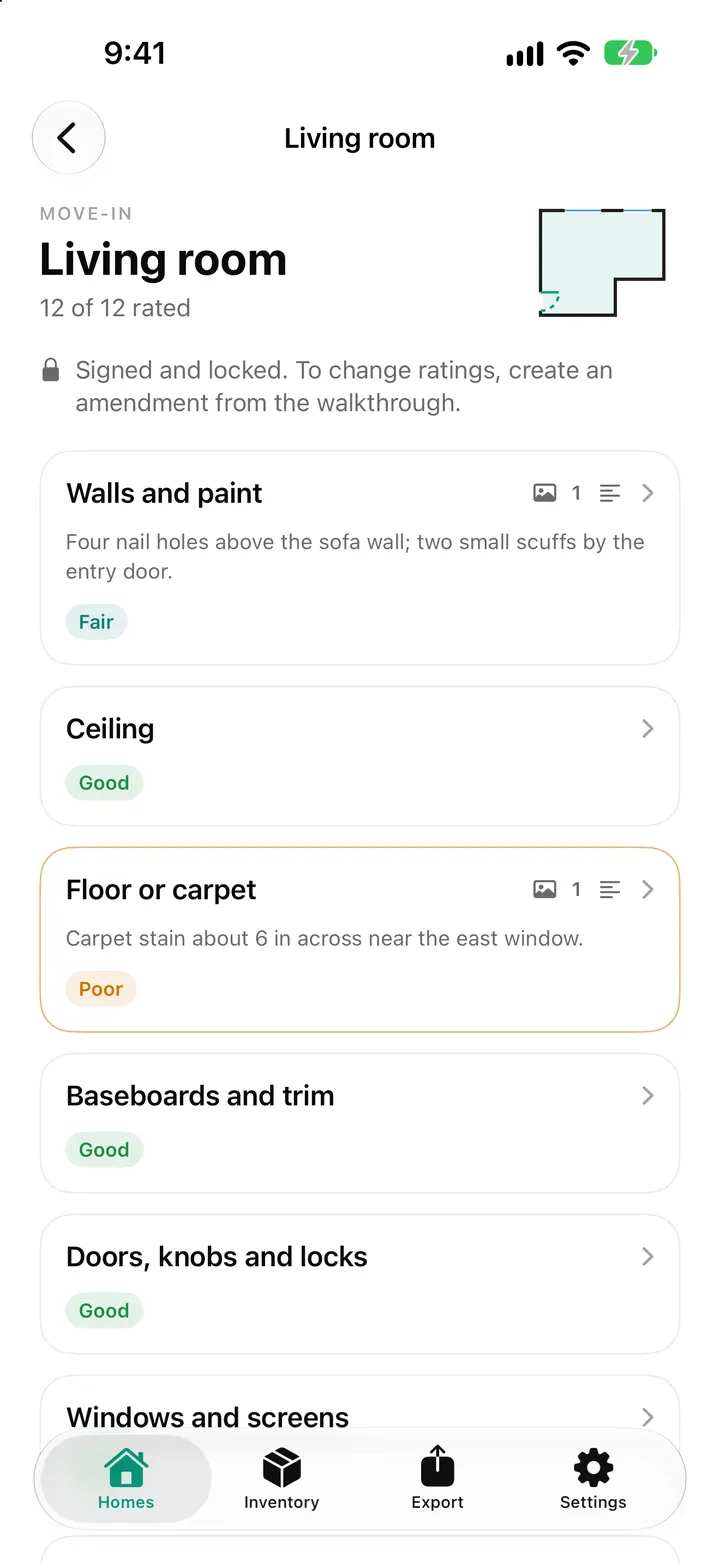
Sign a condition report on iPhone, then fix it with an amendment instead of an edit
Tenant and landlord sign the RoomLedger report on screen, which locks it. Later changes go into an amendment both sign again, and earlier versions stay on file.
Read
Inside the RoomLedger condition report PDF: rooms, photos and SHA-256 fingerprints
What a RoomLedger condition report PDF holds, from floor plans and numbered photos to SHA-256 photo fingerprints, a verification code, password and face blur.
ReadWhat Should a Property Condition Report for a Deposit Include?
Key sections for a deposit-related condition record: photos, descriptions, timeline, keys, and a RoomLedger report.
Read guide