How to create a damage timeline with photos and reports
A damage timeline answers “when did this appear and how did it change?” with a sequence of dated records, rooms, photos and notes. It can help track a leak, crack, broken appliance or unfinished repair. A timeline does not establish the cause or responsibility by itself; it makes observations easier to compare.
What belongs in one timeline entry?
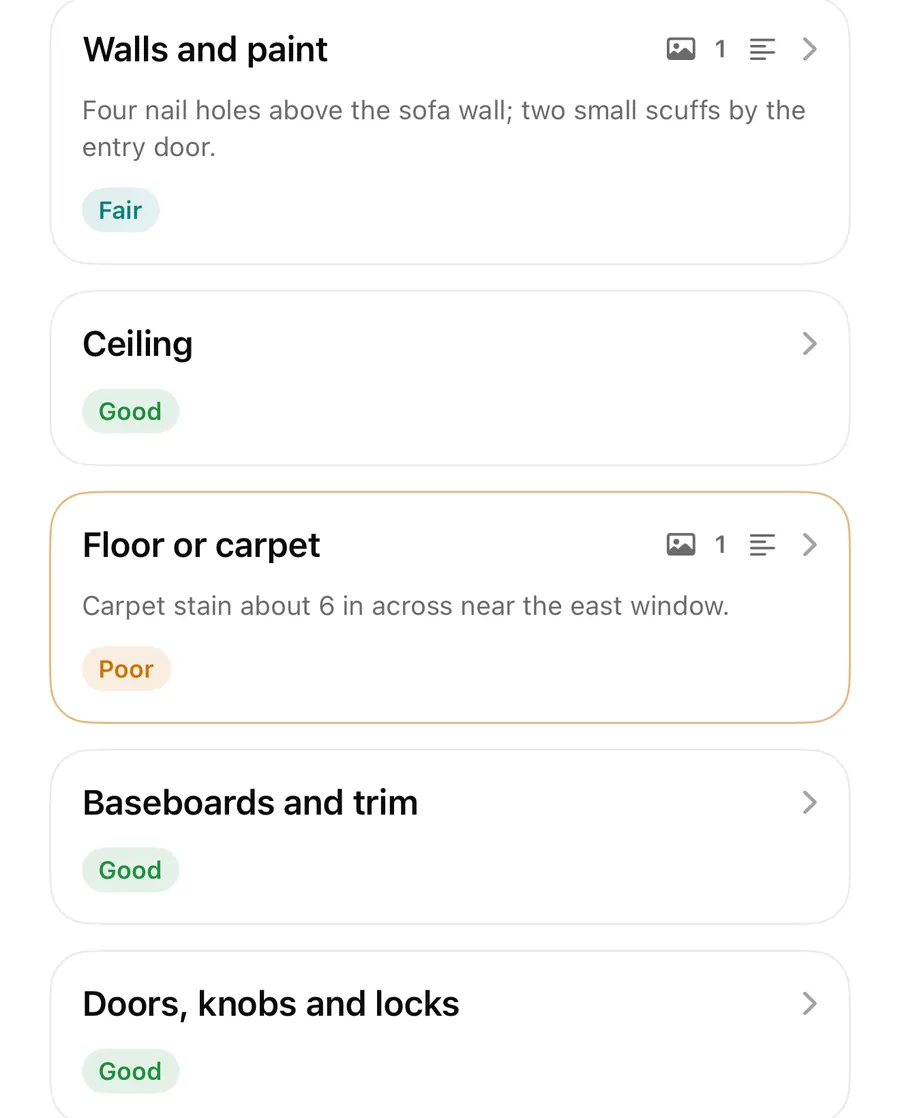
Record the date and time, room, location, short description, visible severity and lighting conditions. Take a wide photo, a close-up and an image with a fixed point of reference. If a meter or appliance is involved, record its reading and state. Keep the original image and note if it is blurry, missing an angle or could not be taken safely. Do not edit away relevant detail.
Keep the sequence consistent
Use the same naming and measurement style across entries. When possible, photograph from a similar angle without putting yourself in danger. Record rain, heat, moved furniture or a completed repair when those conditions change the comparison. A gap in the timeline should be marked as “no record”, not treated as proof that no issue existed.
Add repairs and notices
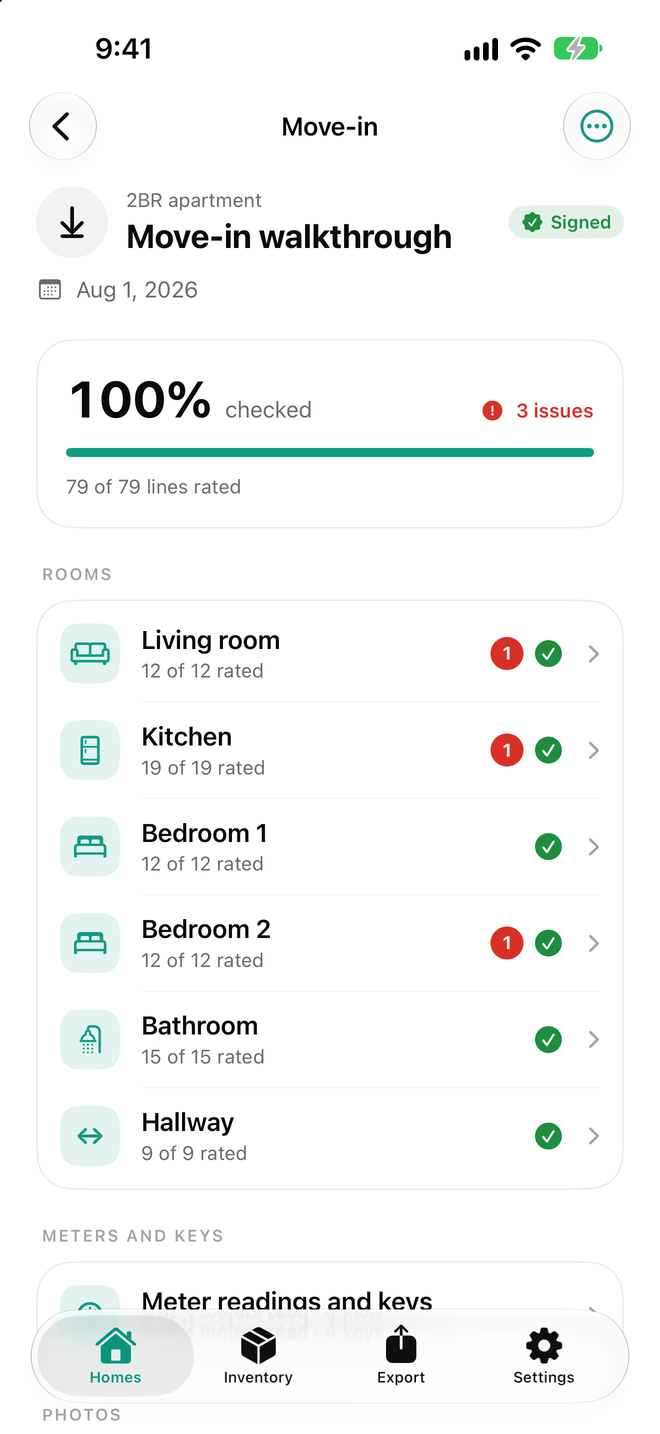
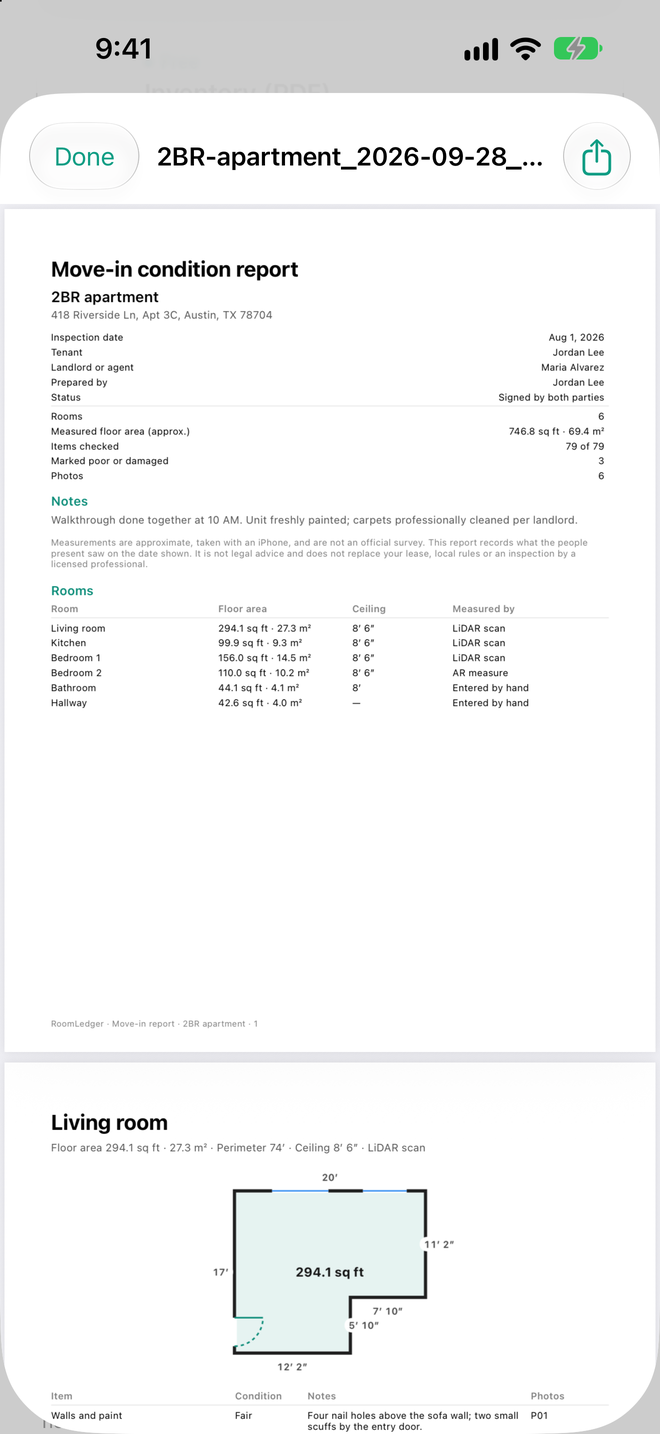
Include the date a request was sent, the recipient, before-and-after images and the job status. Export a PDF report for reading, and keep a CSV or ZIP when the recipient needs filtering or the original images. See RoomLedger and read the export support. Share only the address, names and signatures required.
Digital evidence has limits
Image metadata can change when a file is copied or edited. A photo may not show a hidden cause, the full extent of a defect or the exact time it began. If the issue affects safety, insurance or a major dispute, keep related notices and ask an appropriate professional. Do not describe a timeline as a legal conclusion.
Conclusion
A useful timeline combines images, descriptions, dates and related messages while separating what was seen from what is inferred. RoomLedger helps organise the sequence by property and room; evaluation and responsibility remain matters for the parties, agreement and applicable rules.
Note: A RoomLedger report is a user-created record and cannot guarantee a claim, deposit or dispute outcome.
A practical workflow for this topic
When you search for “How to create a damage timeline with photos and reports”, the useful answer is usually a repeatable way to check the detail that matters. Use this RoomLedger guide as a starting point, then confirm the current source before acting. The product can organize information and shorten a review; it cannot fill in missing facts or replace a professional decision.
Quick checklist before you act
- Define the room, asset or handover moment you are recording.
- Capture wide context, close details, dates and measurements together.
- Review notes and photos before creating the report or sharing it.
- Keep the original export when a later comparison or dispute may matter.
Keep the decision traceable: record the version, date and source you relied on when the detail may change.
Detailed step-by-step workflow
This extended section turns “How to create a damage timeline with photos and reports” into a repeatable RoomLedger workflow. The goal is not to create a longer checklist for its own sake. It is to make the important inputs visible, show what should be checked first, and leave a useful record of what was known at the time. That approach is especially helpful for room inspections, condition evidence, measurements, inventory and reports. Read the steps in order the first time, then return to the relevant step when the situation changes.
Step 1: Define the question and the record you need.
Start with this action in RoomLedger, then pause long enough to verify the result against the original source or observation. For “How to create a damage timeline with photos and reports”, record the date, the relevant context and anything that was not available. A structured record is more useful when another person can understand what was checked without guessing what happened between two screenshots, notes or exports.
Step 2: Gather the original inputs before interpreting the result.
Start with this action in RoomLedger, then pause long enough to verify the result against the original source or observation. For “How to create a damage timeline with photos and reports”, record the date, the relevant context and anything that was not available. A structured record is more useful when another person can understand what was checked without guessing what happened between two screenshots, notes or exports.
Step 3: Review the result and record uncertainty or missing data.
Start with this action in RoomLedger, then pause long enough to verify the result against the original source or observation. For “How to create a damage timeline with photos and reports”, record the date, the relevant context and anything that was not available. A structured record is more useful when another person can understand what was checked without guessing what happened between two screenshots, notes or exports.
Step 4: Save the version, date and next action for later comparison.
Start with this action in RoomLedger, then pause long enough to verify the result against the original source or observation. For “How to create a damage timeline with photos and reports”, record the date, the relevant context and anything that was not available. A structured record is more useful when another person can understand what was checked without guessing what happened between two screenshots, notes or exports.
Quality checks and common mistakes
Long-form guidance is most useful when it explains the boundaries as well as the happy path. Before relying on a RoomLedger record, run the checks below. They help separate a missing input from a negative result, an approximate value from a verified value, and a convenient summary from the original evidence.
Check 1
Do not start with the conclusion. Write down the question, the person or property involved and the time period first. In RoomLedger, keep the source, context and limitation close to the record so the next review can reproduce the decision.
Check 2
Do not mix old and new records without a date. Keep the original observation visible when you add a correction or update. In RoomLedger, keep the source, context and limitation close to the record so the next review can reproduce the decision.
Check 3
Do not treat a missing field as proof that the event, ingredient, expense or condition does not exist. In RoomLedger, keep the source, context and limitation close to the record so the next review can reproduce the decision.
Check 4
Do not share a polished summary before checking the original image, note, label, receipt or export behind it. In RoomLedger, keep the source, context and limitation close to the record so the next review can reproduce the decision.
Check 5
Do not use an app record as a substitute for a professional, medical, legal, financial or safety decision when the situation requires one. In RoomLedger, keep the source, context and limitation close to the record so the next review can reproduce the decision.
Frequently asked questions
What should I verify before I rely on this guide?
For “How to create a damage timeline with photos and reports”, use RoomLedger to organize the observation and then verify the part that affects the decision. If a source, image, measurement or input is incomplete, mark it as incomplete instead of silently filling the gap. Add a date and a short note about the method used. When the consequence is important or the question sits outside the product’s purpose, confirm it with the current official source or an appropriate professional.
What should I do when the information is incomplete?
For “How to create a damage timeline with photos and reports”, use RoomLedger to organize the observation and then verify the part that affects the decision. If a source, image, measurement or input is incomplete, mark it as incomplete instead of silently filling the gap. Add a date and a short note about the method used. When the consequence is important or the question sits outside the product’s purpose, confirm it with the current official source or an appropriate professional.
How can I make the record easier to compare later?
For “How to create a damage timeline with photos and reports”, use RoomLedger to organize the observation and then verify the part that affects the decision. If a source, image, measurement or input is incomplete, mark it as incomplete instead of silently filling the gap. Add a date and a short note about the method used. When the consequence is important or the question sits outside the product’s purpose, confirm it with the current official source or an appropriate professional.
When should I ask for another source or a specialist?
For “How to create a damage timeline with photos and reports”, use RoomLedger to organize the observation and then verify the part that affects the decision. If a source, image, measurement or input is incomplete, mark it as incomplete instead of silently filling the gap. Add a date and a short note about the method used. When the consequence is important or the question sits outside the product’s purpose, confirm it with the current official source or an appropriate professional.
A practical review before you finish
Before closing this topic, read the title “How to create a damage timeline with photos and reports” as a question rather than a promise. Confirm the current version of the information, check the original evidence, and record the next action in RoomLedger. A useful record says what was observed, when it was observed, what remains uncertain and who should review it next. This makes the article easier to apply today and easier to revisit when the facts change.
See the product in action
Related guides
How Should Condition Photos Show Date and Context?
How to capture dated, contextual condition photos with captions for move-in, repairs, or move-out records in RoomLedger.
How to Delete RoomLedger Data Without Losing Records You Need
A checklist for deleting an item, property, or RoomLedger app and exporting a copy before clearing important data.
How can a condition record help you track a rental deposit?
Record rooms, photos, meters and a timeline in RoomLedger to make deposit conversations clearer without promising a dispute outcome.
Feature walkthroughs
Voice notes in RoomLedger: dictate on device and talk through a room
Dictate checklist notes on your iPhone, or talk through a room and review suggested ratings and notes from Apple Intelligence. Nothing changes until you accept.
Read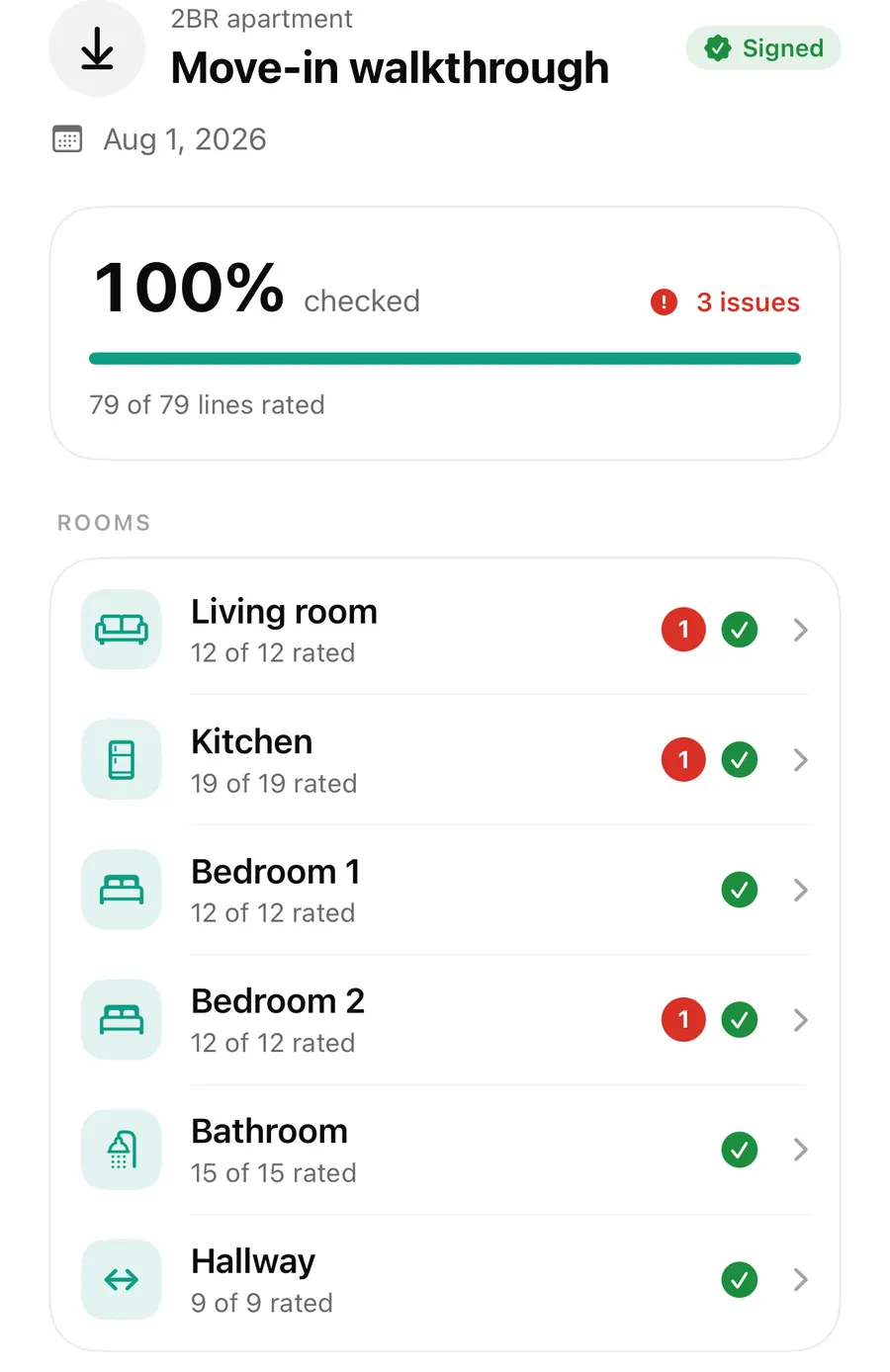
Record meter readings and keys in RoomLedger, with the camera reading the digits
Log electric, gas and water meters and every key at move-in and move-out. RoomLedger reads meter digits with the camera, keeps the photo and you confirm it.
Read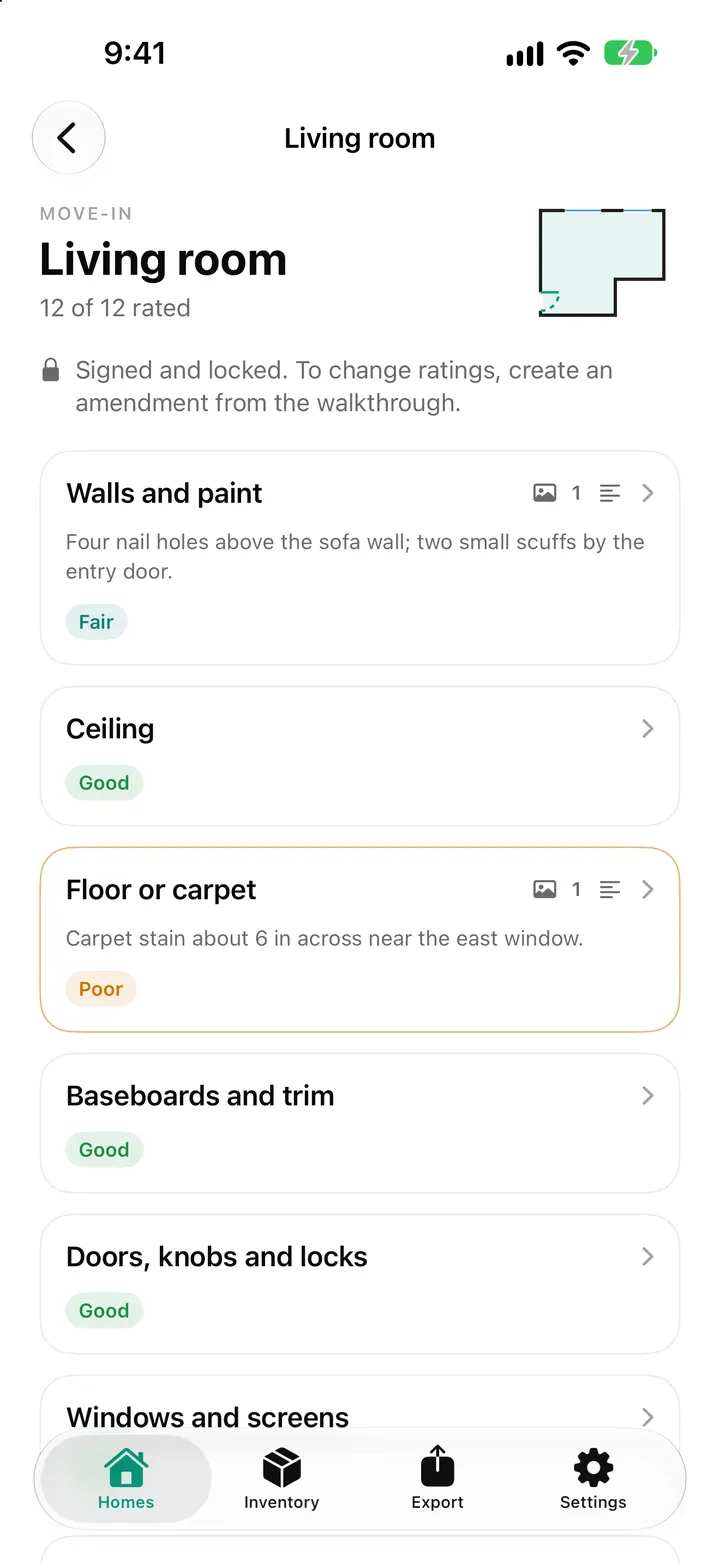
Sign a condition report on iPhone, then fix it with an amendment instead of an edit
Tenant and landlord sign the RoomLedger report on screen, which locks it. Later changes go into an amendment both sign again, and earlier versions stay on file.
Read