Survey pack: floor areas, windows and heaters for installers in RoomLedger
RoomLedger Pro's Survey screen gathers floor areas, windows and doors, glazing, frames and heater outputs into a PDF, a CSV and an IFC model for installers.
Short answer
The Survey screen in RoomLedger Pro collects what an installer usually asks for before a site visit: the measured floor area of each room, every window and door with its size, glazing and frame, and each heater with its rated output from the rating plate. It exports a Survey pack (PDF), a Survey spreadsheet (CSV) and a Building model (IFC). It is a set of approximate figures to check on site, not a formal survey.
Getting a quote for new windows, a heat pump or new radiators usually starts with the same questions: how big are the rooms, how many windows, what glazing, what's heating the place now? RoomLedger already has most of those answers if you have measured the rooms. The Survey screen pulls them together per home and adds the details a floor plan can't hold.
Where to find it
On a home's page there is a Survey row: Floor areas, windows and doors, heaters, and a survey pack for installers. It carries a Pro badge. Without RoomLedger Pro, tapping it opens the RoomLedger Pro screen instead. Everything on it comes from the home's rooms, so measure them first, by LiDAR scan, AR or by hand.
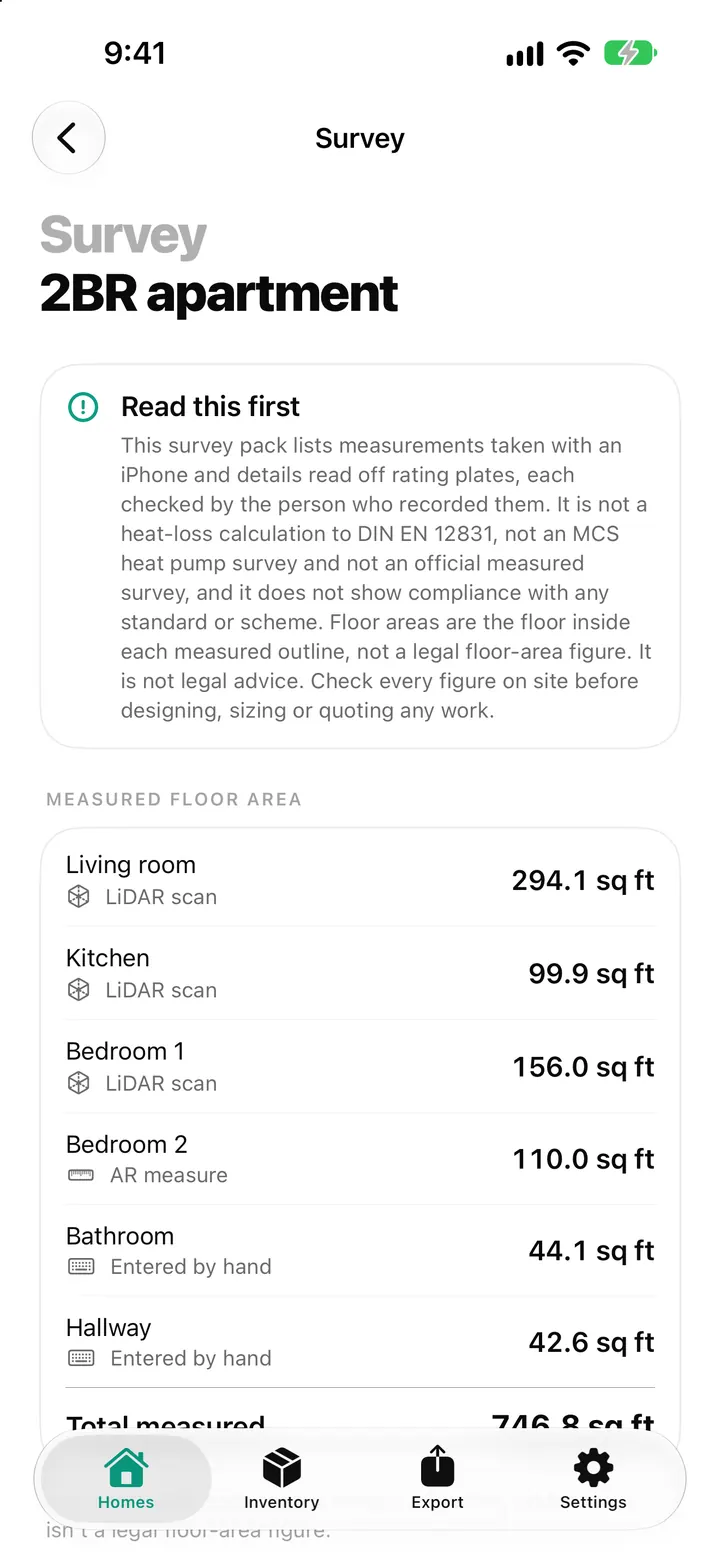
At the top of the screen is a Read this first note. It says the pack lists measurements taken with an iPhone and details read off rating plates, each checked by the person who recorded them, and that it isn't a heat-loss calculation, an MCS heat pump survey or an official measured survey. Its last line is the one to keep in mind: Check every figure on site before designing, sizing or quoting any work.
Measured floor area
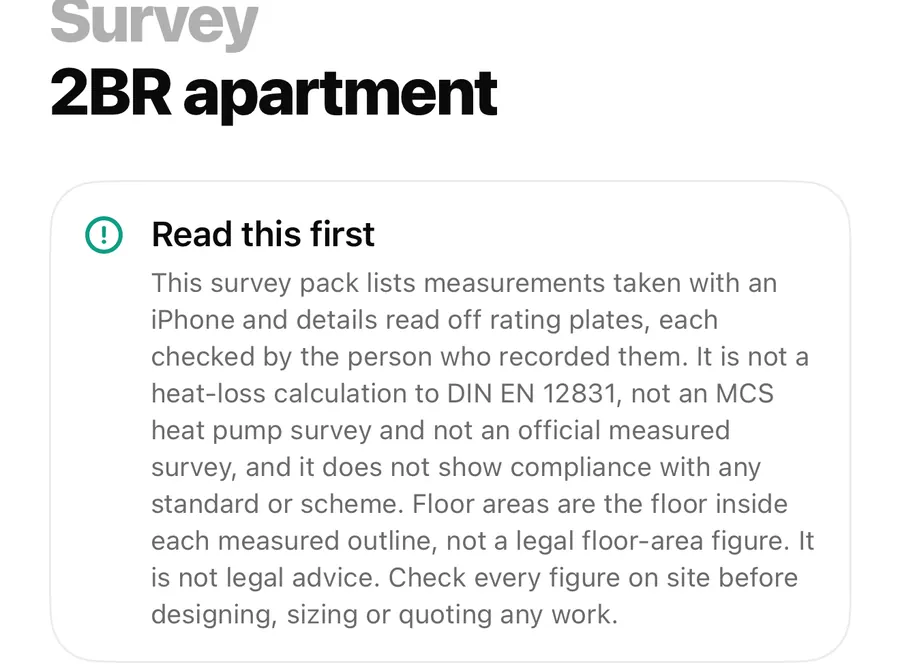
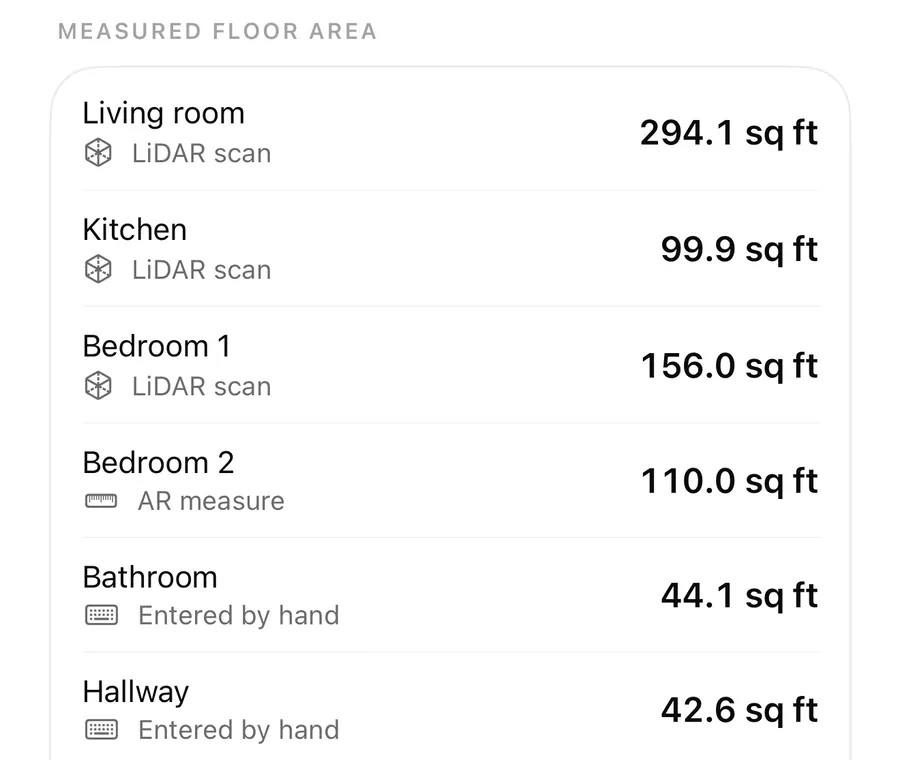
The first section lists each room with its floor area and how it was measured: LiDAR scan, AR measure or Entered by hand. Below that is the Total measured. Rooms that haven't been measured are named and left out of the total rather than guessed.
The area is the floor inside each room's measured outline. Nothing is deducted for sloping ceilings, stairs or built-in units, so it isn't a legal floor-area figure. For a rough sense of size, though, it is quicker than a tape measure in every room.
Windows and doors
Windows and doors counts the openings on the floor plans and lists each one. Widths come from the floor plan. Heights and sills come from the LiDAR scan; for rooms measured another way, tap a window or door to type them in. The sill is the height of the bottom of the window above the floor.
For each opening you can also record:
| Detail | Options |
|---|---|
| Glazing | Single glazing, Double glazing, Triple glazing, Secondary glazing, or other |
| Frame | uPVC / PVC, Wood, Aluminum, Steel, Composite, or other |
Glazing and frames are recorded by hand. The PDF says so, and marks heights and sills that were typed in rather than scanned.
Heaters and rating plates
Add heater records each Radiator, Boiler, Heat pump, Electric heater or Other heater, with its room, make, model, size, notes and Rated output in watts.
Read the rating plate takes a photo of the plate (or picks one from Photos) and reads the make, model and output on the iPhone for you to check. The photo is kept with the heater and goes in the survey pack. Radiator plates often give several outputs; the app's tip is to record the one at ΔT50 if there is one, and the PDF notes that outputs are as printed on the plate, at the conditions the plate states.
Prepare a survey pack
- Measure every room you want included. Scan where you can; type the size where you can't.
- Open the home and tap Survey. Read the Read this first note.
- Check the Measured floor area list for rooms left out of the total.
- Under Windows and doors, tap each opening to add missing heights and sills, the glazing and the frame.
- Tap Add heater for each radiator, boiler or heat pump, and use Read the rating plate where there is one.
- Under For the installer, export the Survey pack (PDF), the Survey spreadsheet (CSV) or the Building model (IFC).
The three exports
- Survey pack (PDF): the Read this first text, a summary, the floor area table, the windows and doors table, the heaters table and the rating plate photos. If you set Your name in Settings, it appears as Prepared by.
- Survey spreadsheet (CSV): one row per room, opening and heater, with sizes in meters, for a quoting spreadsheet.
- Building model (IFC): rooms, walls, doors and windows for BIM tools, in IFC4. It needs at least one measured room. More on it in CAD, IFC and opening drawings.
All three are also kept under Past exports with a SHA-256 checksum.
FAQ
Can an installer size a heat pump from this?
Not on its own. The pack isn't a heat-loss calculation. It gives an installer a starting point; they still need to survey the home and do their own calculations.
Do I need LiDAR for the survey pack?
No. Rooms measured with AR or typed in by hand are included. Without a scan, you type window and door heights and sills yourself.
What if a room isn't measured?
It is listed by name and left out of the total floor area. The IFC model needs at least one measured room.
Is the survey free for my first home?
No. The Survey screen and its PDF, CSV and IFC exports are part of RoomLedger Pro on every home.
Download RoomLedger and have the numbers ready before the installer calls.
Keep reading
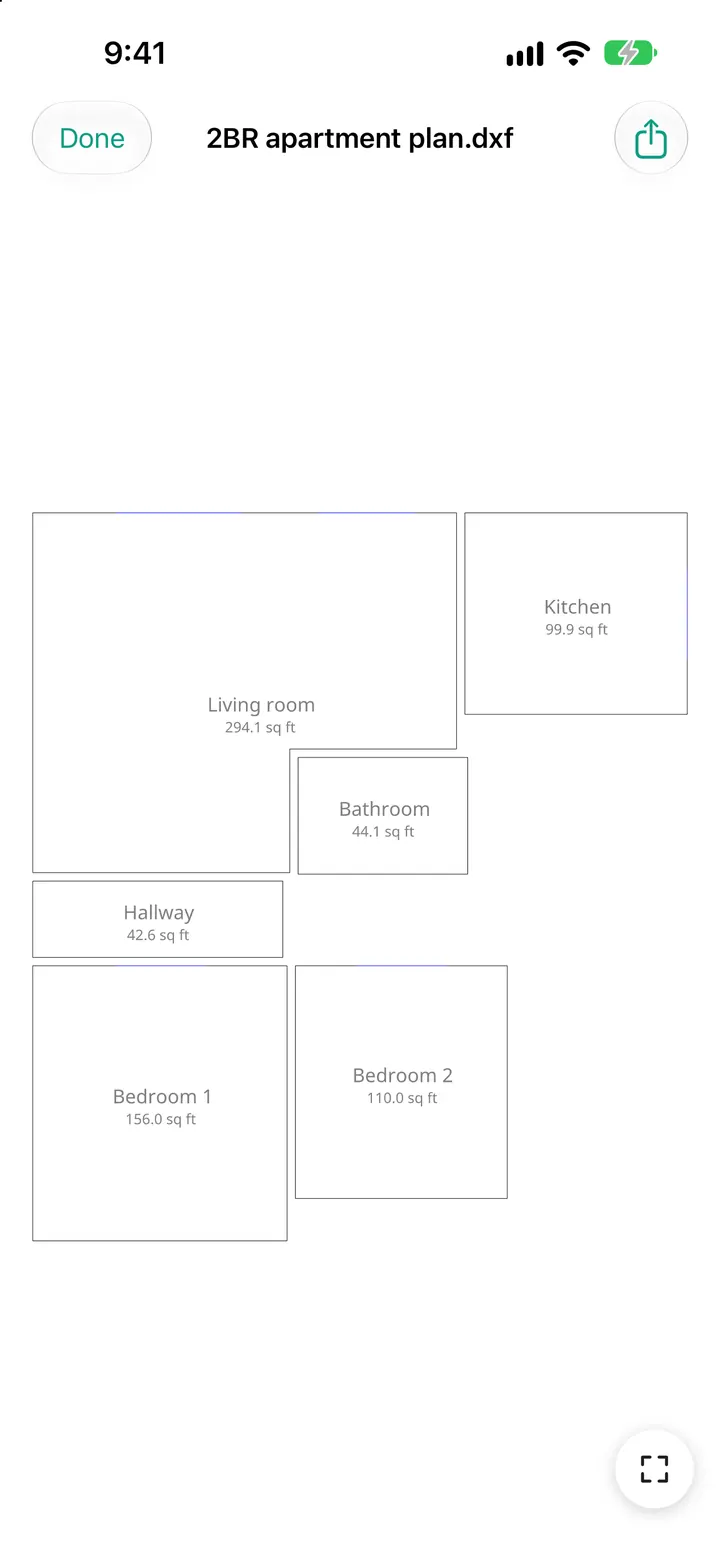
Export floor plans to DXF, SVG and IFC, and open CAD drawings in RoomLedger
Export measured rooms from RoomLedger as DXF or SVG plans, USDZ or OBJ models and IFC, then open an architect's DXF, IFC, STEP or PDF on your iPhone to compare.
Read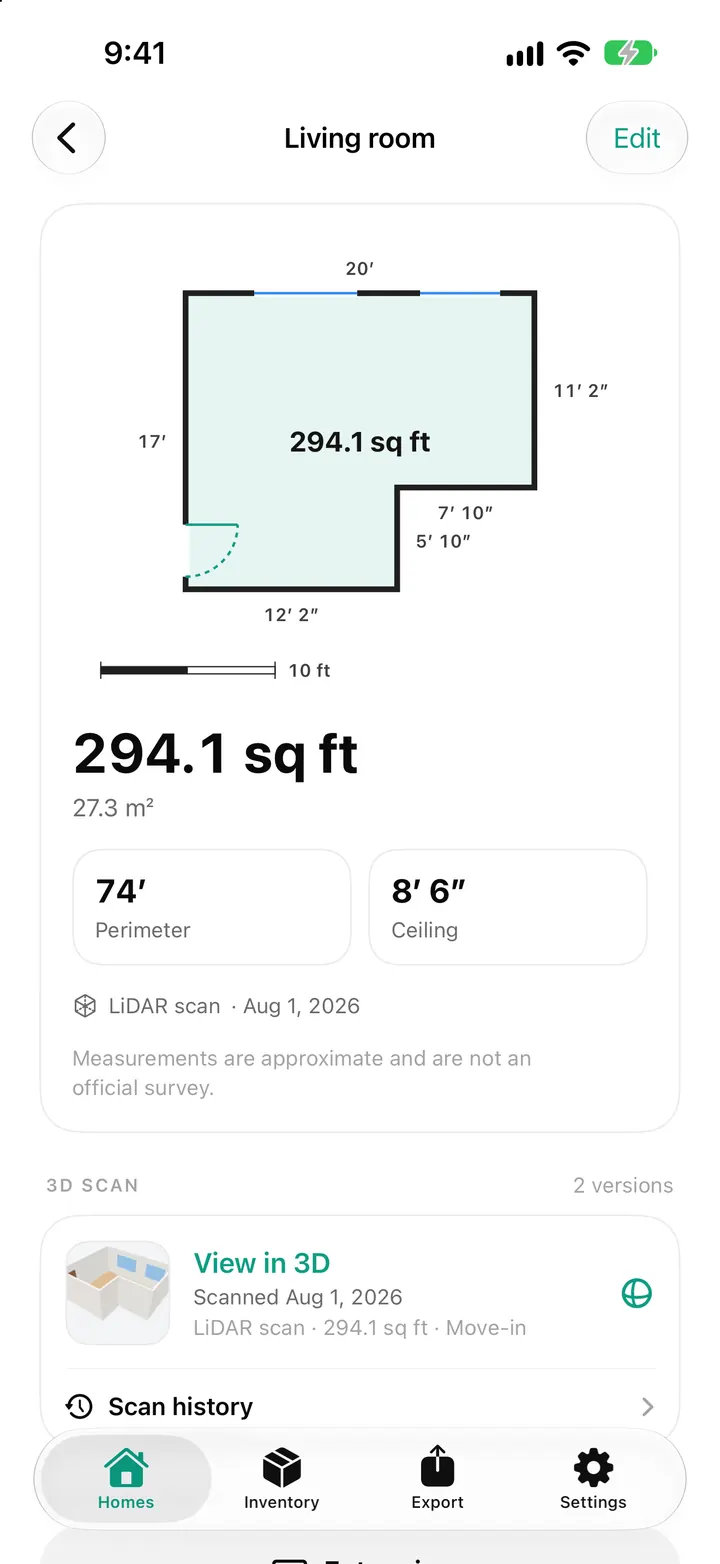
Scan a room with LiDAR on iPhone: floor plan, area and ceiling in RoomLedger
Scan a room with your iPhone's LiDAR Scanner in RoomLedger: check the scan, turn off mistakes, then keep a floor plan with area, perimeter and ceiling height.
Read
RoomLedger Free vs Pro: what's free, what Pro adds and how plans work
RoomLedger is free for one home with walkthroughs, scans, signatures, inventory and all exports. Pro adds unlimited homes, Survey pack, branding and charges.
ReadAre Room Measurements from an App Accurate?
Learn what affects app-based room measurement, how to record uncertainty and when to use a professional measurement.
Read guide